Every moment.
Under control.
Live graphics, lyrics, and overlays in one visual rundown. Prepare your show, preview the next cue, and bring it all to OBS through one browser source.
Designed for Desktop
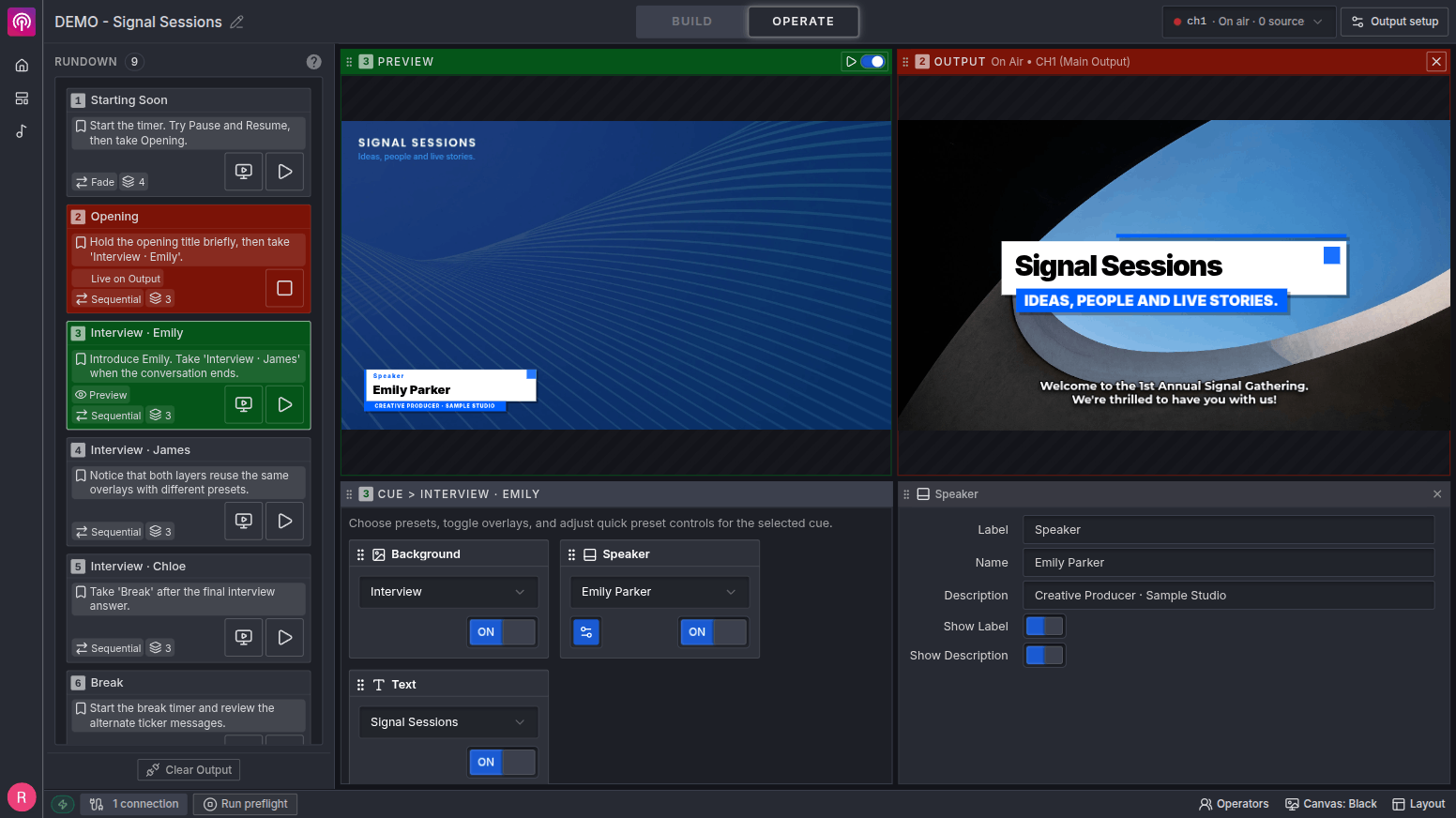
Preview first. Take it live.
See how one cue changes the whole production.
Take changes all 2 overlays together. Output stays unchanged until you click.
From song library to live lyrics, in one workflow.
Build each song once, split it into operator-ready slides, customize the broadcast look, and move through every line live alongside the rest of your production.Explore live lyrics and the OBS setup guide →
A New Song
Lyrics Operator
Sing a new song
Let every voice rise
Sing a new song Let every voice rise
Hope is alive Light fills the room
Build once, reuse every week
Keep a searchable song library and bring the same lyrics into future sets.
Design for the broadcast
Control typography, positioning, backgrounds, highlights, and readability globally or slide by slide.
Stay in control live
See what is on air, preview what comes next, use presenter keys, and hide or restore lyrics instantly.
Prepare every on-air moment in one place.
Stream Copilot turns your production into a visual rundown. Prepare titles, lower thirds, countdowns, tickers, lyrics, and interactive graphics as cues, preview the next moment, then take the whole visual state to air with one action.
- 1Browser source
Every overlay renders as one coordinated composition.
- 2Purpose-built views
Build the production, then operate it from a focused control surface.
- PreviewBefore output
Review the next cue without changing what viewers see.
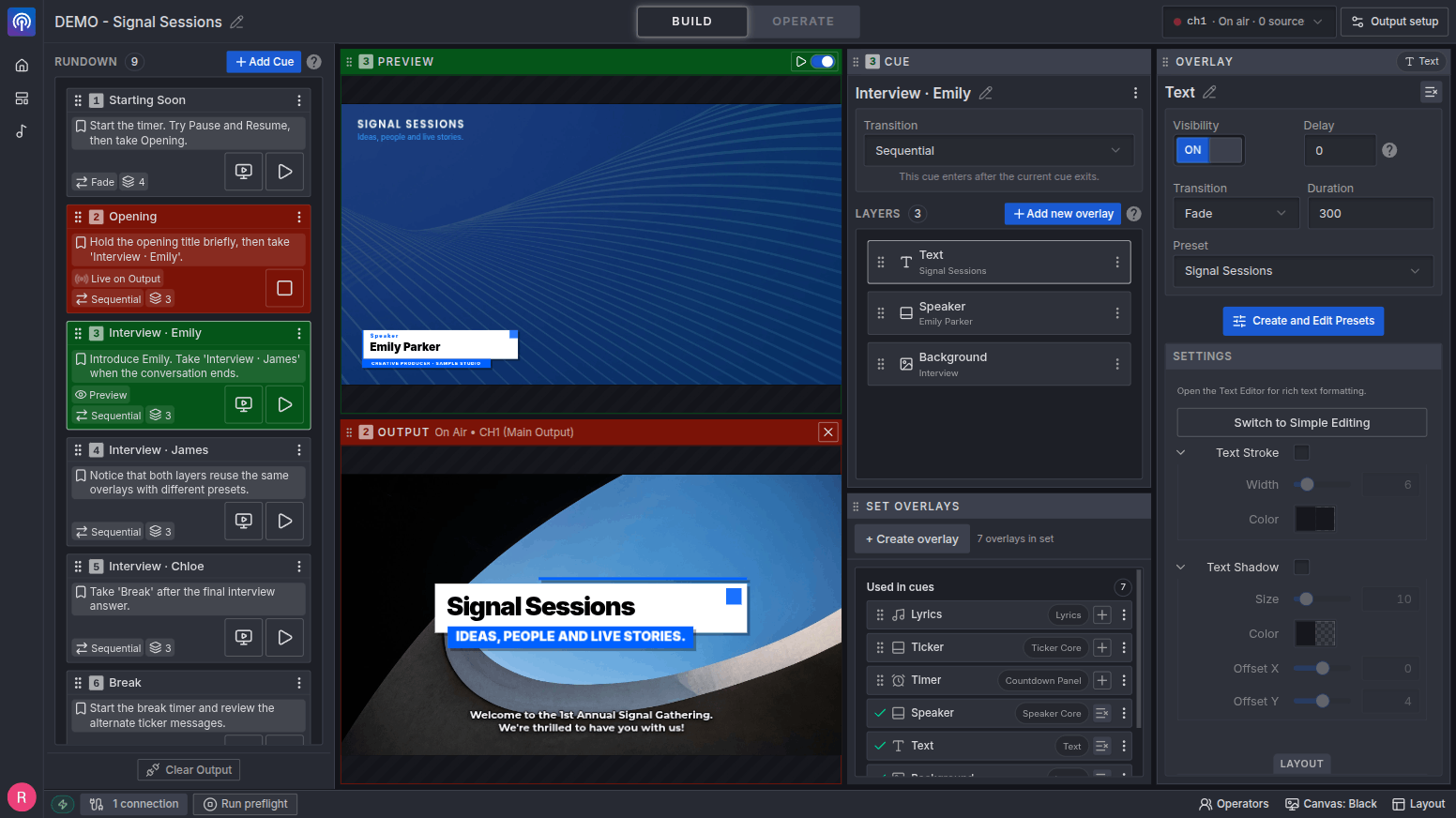
Prepare the entire production before going live. Each cue remembers its overlays, presets, visibility, and timing.
Build the rundown
Prepare every cue with the right overlays, presets, visibility, timing, and operator notes already in place.
Run Preflight
Check your connected Output, assets, and every cue. Review issues and run the check again after fixes.
Preview. Then take it live.
Review the next cue beside the current Output, then send the complete visual change to air when you are ready.
Live graphics shouldn't feel likelanding a plane in the dark.
Most overlay setups become a tangle of browser sources, hidden settings, and one-off fixes. Stream Copilot turns that setup into a rundown you can prepare, preview, and operate yourself.
Go live with fewer
unknowns.
The opening cue is only the beginning. Preflight checks your connected Output and walks through every cue, so you can catch missing assets and rendering issues before showtime.
Check the whole rundown
Verify images, fonts, templates, and cue rendering before you take them live.
Know what needs attention
Find the affected cues and overlays, with guidance to help resolve each issue.
Fix it. Check again. Then go live.
Run Preflight again after changes and review the results in one place.
Preflight passed
3 cues checked · Ready for your next step
- 01Opening countdown Passed
- 02Welcome & introduction Passed
- 03Live lyrics Passed
One workflow from setup to showtime.
The core tools you need to prepare, preview, and operate a coordinated graphics production.
Build and Operate Views
Build with full context, then switch to a focused Operate surface for the live controls you need.
Production-Ready Templates
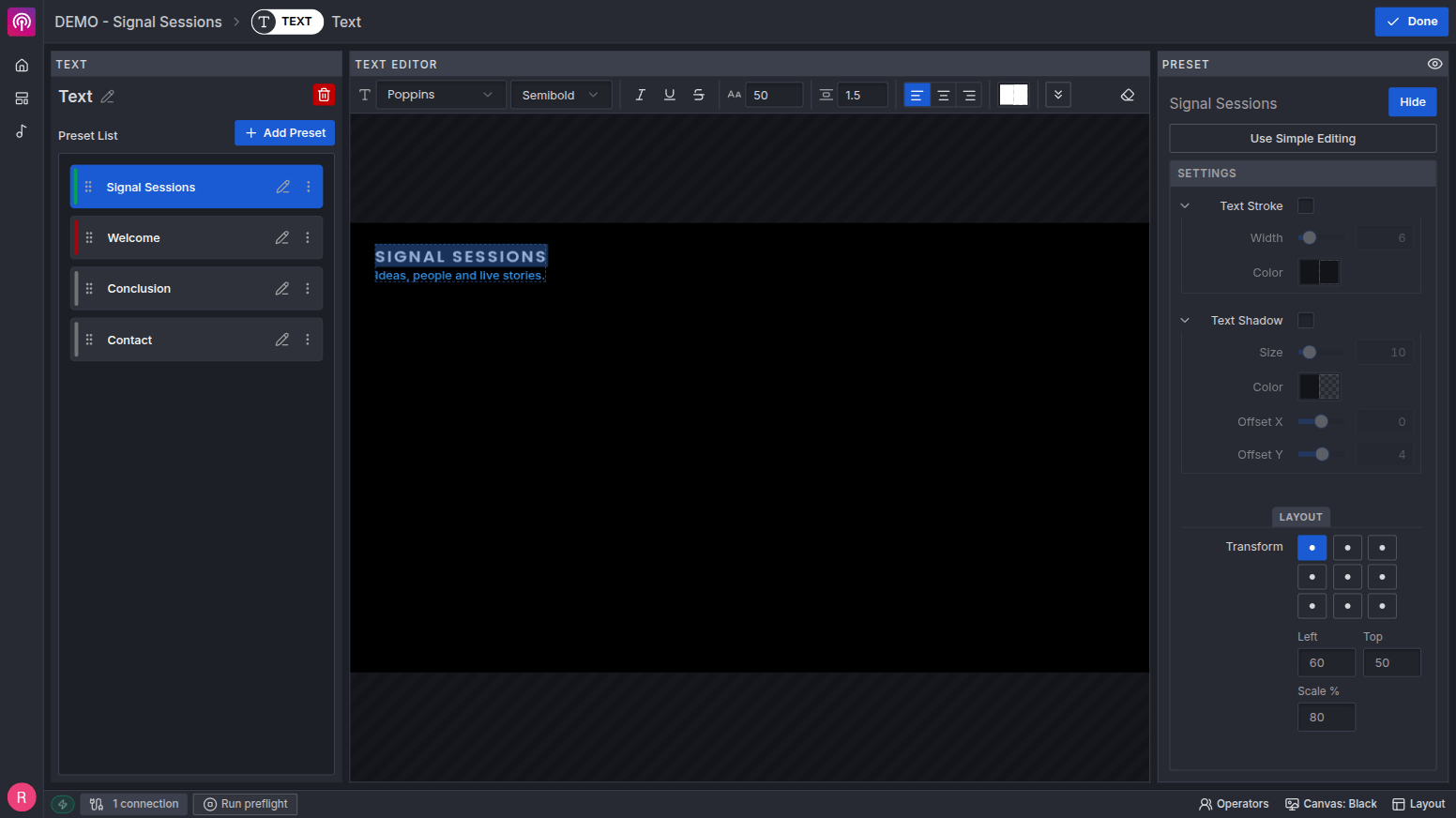
Start with available templates—lower thirds, countdowns, tickers, titles, lyrics, and interactive graphics—then tune them to your production.
Cue-Based Rundown
Organize the production as a sequence of cues. One click swaps every overlay, preset, and visibility state at once.
Output Preview
Stage the next cue in a preview that mirrors the live output. Check timing, content, and overlays without touching what's on air.
Overlay Presets
Save multiple variants per overlay: colors, content, layouts. Switch presets instantly mid-broadcast, no rebuild needed.
Protected On-Air Edits
When the current cue changes, preview the pending result and decide when the updated state should reach the output.
Real-Time Updates
Counters, lower thirds, and titles update live on the output. No reload, no awkward cuts.
One OBS Browser Source
Every overlay renders in a single composition. One URL is easier to add, position, duplicate, and troubleshoot than a stack of independent sources.
Start with a strong design. Run it as one show.
Add production-ready graphics to a set, customize their content and style, then coordinate them through the same cue-based workflow.
Different productions. One clear workflow.
The content changes. The operational problem does not: prepare the show, preview the next state, and give the right controls to the person running it.
Streams & broadcasts
Run solo and swap the complete on-screen look with one cue through a single browser source.
Conferences & summits
Prepare every session in advance, then run speaker graphics, agendas, and transitions from the production.
Churches & services
Prepare lyrics and broadcast graphics together, then run worship, sermon, and announcements from the production.
Auctions & fundraisers
Coordinate item graphics, sponsor messages, totals, and live updates without rebuilding the output between segments.
Talks & webinars
Build the format once and reuse it for every episode or session, from starting countdown to speaker titles and calls to action.
A natural fit for productions that happen every Sunday.
Church media combines a weekly rundown, lyrics, changing speakers, and last-minute updates. Stream Copilot brings those broadcast graphics into the same preparation and operation workflow.
Stream Copilot currently focuses on broadcast graphics. It can work alongside the presentation tools your church already uses for in-room projection, Bible content, media playback, or stage displays.
Built for weekly reuse
Prepare the service as one visual rundown, reuse songs from your library, and keep speakers, lyrics, and announcements ready in the same set.
A natural companion to OBS
Send lyrics, lower thirds, titles, timers, and announcements through one source without rebuilding scenes every week.
Answered before you ask.
Do I need OBS to use Stream Copilot?
Is Stream Copilot only for churches?
Does it replace ProPresenter, Holyrics, or other presentation software?
Can I reuse songs across different sets?
Why use one browser source?
What does Output Preflight check?
What happens if I click the wrong button?
Do I need to be a designer to customize the overlays?
Is it really free to start?
Make your next production easier to run.
Build your rundown, connect one browser source, and run Preflight. Your next on-air moment starts with a little more confidence.