Live lyrics for OBS
Live lyrics for OBS.
Every line, on cue.
Stream Copilot is a browser-based lyrics editor and live controller. Create custom worship lyrics, organize songs, and send lyrics and broadcast graphics to OBS through one Browser Source.
Also works as a standalone browser window for projection, or with other production software that supports a Browser Source.
Free plan available. No credit card required.
Make the words your own
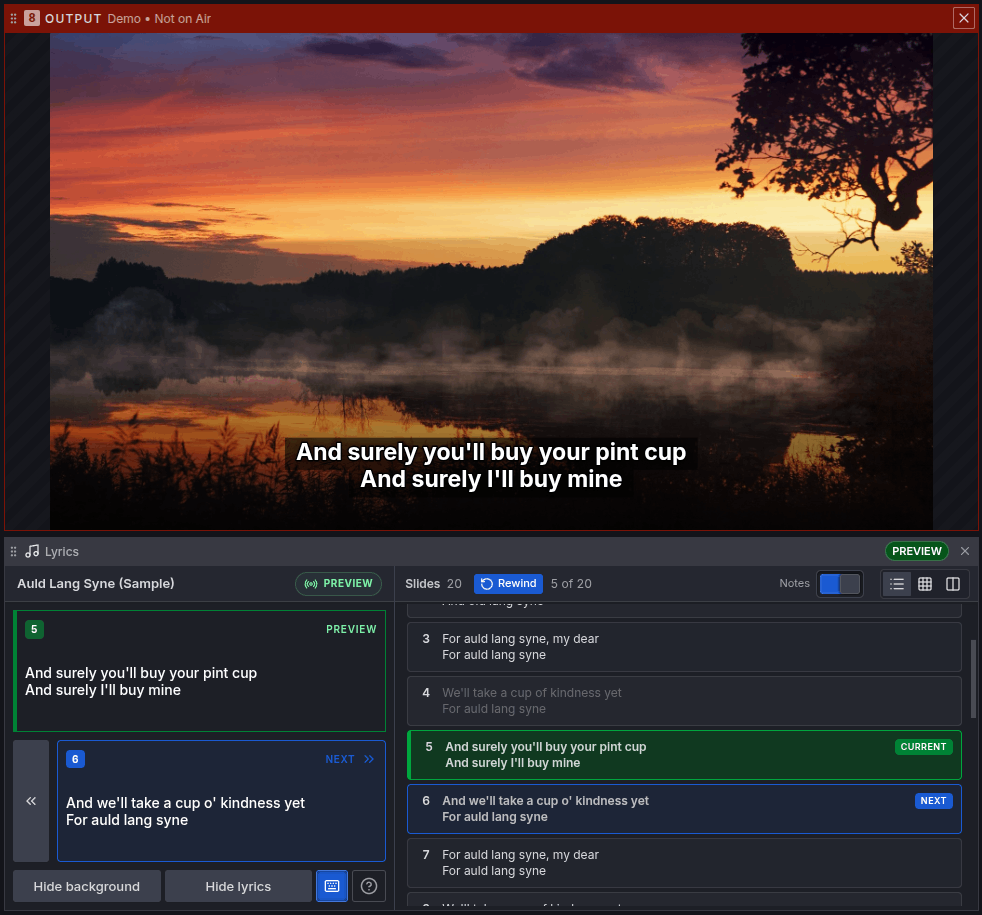
Rich text lyrics, made for your broadcast.
Customize individual words and phrases.
Mix fonts, sizes, colors, and styles within a single slide. Emphasize the words that matter, then fine-tune spacing, line height, and alignment.
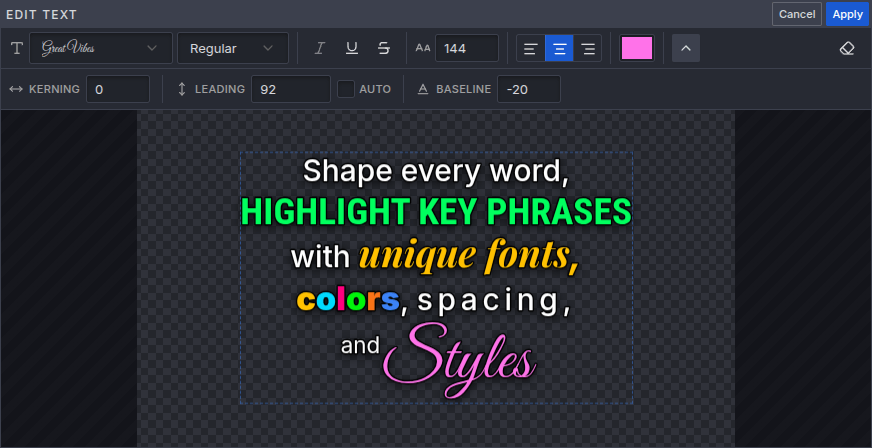
Text backgrounds, outlines and shadows.
Pair outlines and shadows with background treatments that help lyrics stand out over your camera feed or visuals.
- Text box: place a background behind the whole text block.
- Per-line highlights: use backgrounds that automatically fit each line’s text width.
- Bottom gradient: add contrast beneath the lyrics while keeping the rest of the picture visible.
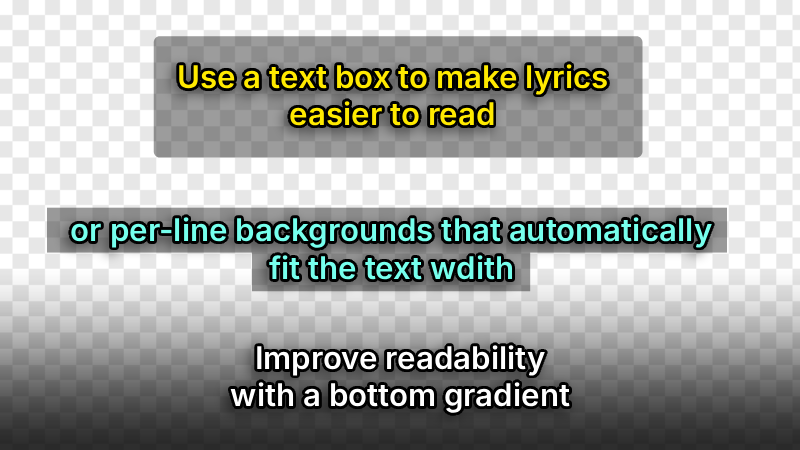
Your lyrics. More creative control.
From individual words to the whole song, shape the details that make your lyrics feel like your own.
| Feature | What you can do with Stream Copilot |
|---|---|
| Rich text styling | Customize individual words with different fonts, sizes, colors, and styles within the same slide. |
| Text highlights | Add a box around the text or highlight each line with bars that fit its width. |
| Readability | Combine text outlines, shadows, and a bottom gradient to keep lyrics readable over video. |
| Per-slide design | Set individual backgrounds and readability treatments for each slide. |
| Global Lyrics Library | Reuse songs across sets, with local style overrides for each production. |
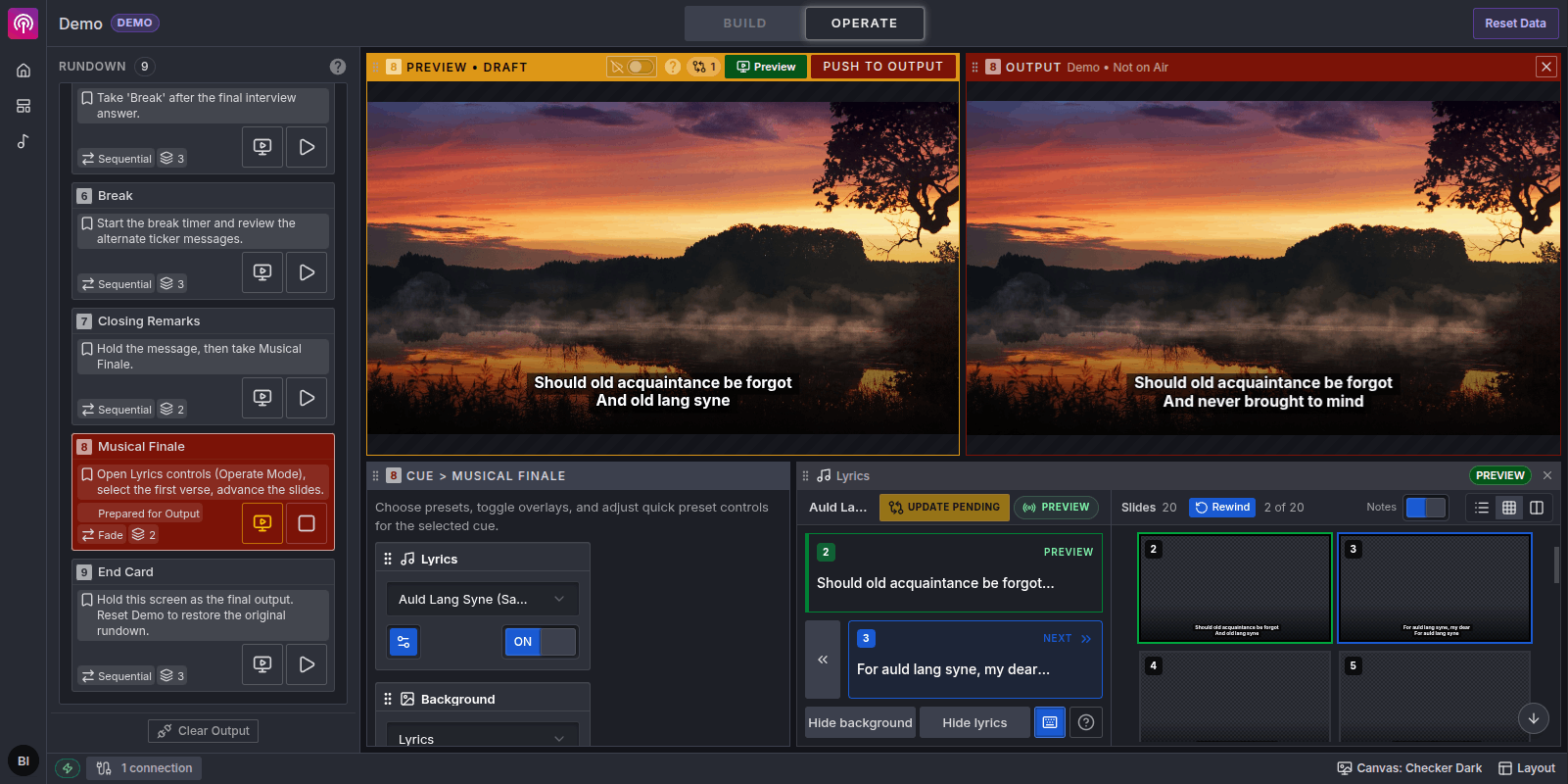
| Live control | See the current and next slides, use presenter keys, and hide lyrics or backgrounds independently. |
From the lyrics editor to live operation.
Prepare your songs in the Lyrics editor
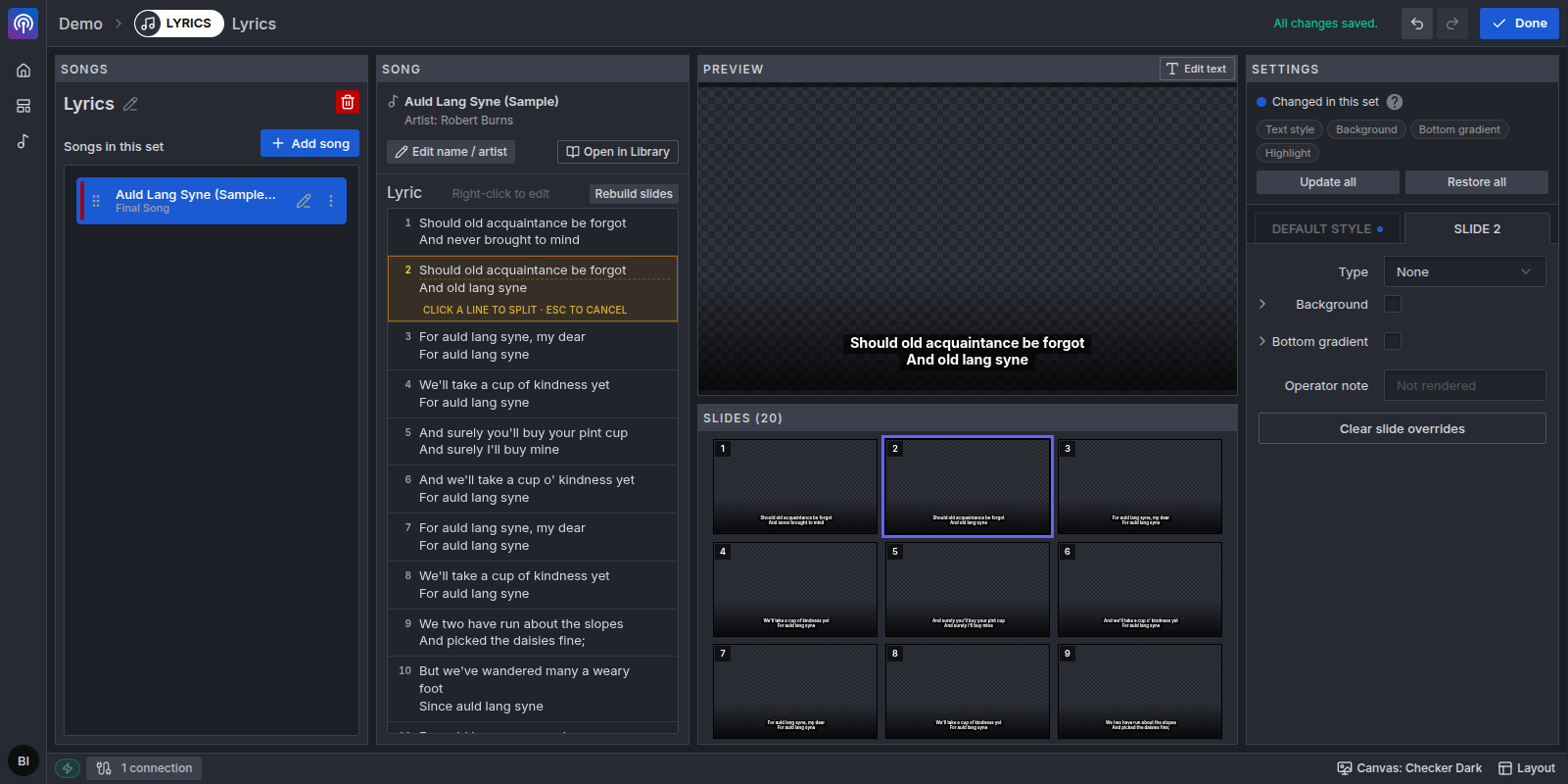
Control lyrics alongside your production
Watch the tutorial
How to Add Worship Lyrics to OBS
Ready to try it? You’ll need a Stream Copilot account, your song text, and OBS Studio with a Browser Source. Follow the tutorial to bring your lyrics into your broadcast.
- 1. Prepare your songAdd your text, split it into slides, and choose its look.
- 2. Connect OBSRoute your set to an Output channel and paste its URL into a Browser Source.
- 3. Go livePreview the song cue, take it to Output, and advance the slides.
Live lyrics for OBS: questions answered
How do I add worship lyrics to OBS?
Prepare a song in Stream Copilot, add it to a Lyrics overlay in a set, and connect the channel’s Output URL as an OBS Browser Source. Take the song cue to Output, then advance its slides from the Lyrics operator panel.
Do I need an OBS plugin?
No additional Stream Copilot plugin is needed. OBS displays the output through its Browser Source, while you prepare and control your lyrics in a web browser.
Can I use Stream Copilot without OBS?
Yes. Open the Output URL in a browser window for a standalone lyrics display. For projection, move that window to the connected projector or display and enter fullscreen. You can also use the Output URL in other production software that supports a Browser Source.
Can I show lyrics over my camera feed?
Yes. Use lyrics without an opaque background and place the Browser Source above your camera source in OBS. You can also configure backgrounds and readability treatments when the production needs them.
Can I style individual words in a lyric?
Yes. Select words or phrases in the rich text editor and give them their own fonts, colors, sizes, and styles. Text boxes and per-line highlights are separate controls for readability.
What happens when I edit a song that is on air?
Content and style edits to the live cue stay pending until you use Push to Output. Advancing slides and hiding lyrics are live controls and update the on-air output immediately.
Does it automatically follow the singer?
This workflow is operated manually. You advance the prepared slides with the Lyrics controls or presenter keys to follow the performance; it is not automatic speech recognition or audio-synchronized karaoke.
Does Stream Copilot replace OBS or presentation software?
Stream Copilot handles lyrics and graphics, including standalone browser-based projection. Your production software still handles cameras, audio, and streaming. Dedicated presentation tools may still be needed for features such as Bible integration or specialized stage displays.
Does the Lyrics Library include licensed worship songs?
No. Bring song text you have permission to display. The library stores and organizes your songs; it does not provide a licensed worship-song catalog.
Can I try Stream Copilot for free?
A Free plan is available with basic free templates and one OBS output without a watermark. No credit card is required. Check the template catalog and current plan availability for the features you intend to use.
Bring your first song to the screen.
Start with the sample song, connect OBS, and explore the workflow before your next live production.
Try live lyrics